A unique Username and Enterprise has been pre-created, and the CL250 has been pre-onboarded into your new ZEDEDA account.
Please check your email – you will have been mailed your ZEDEDA credentials after receiving your device.
Open your web browser to: https://zedcontrol.gmwtus.zededa.net/login
Log in using the credentials provided.
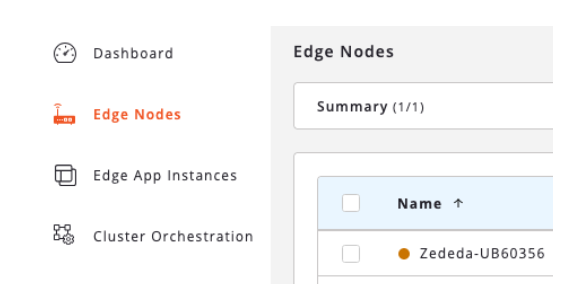
Click “Edge Nodes” on the left hand menu to verify your CL250 is present.
Device is expected to be in yellow/suspect state:
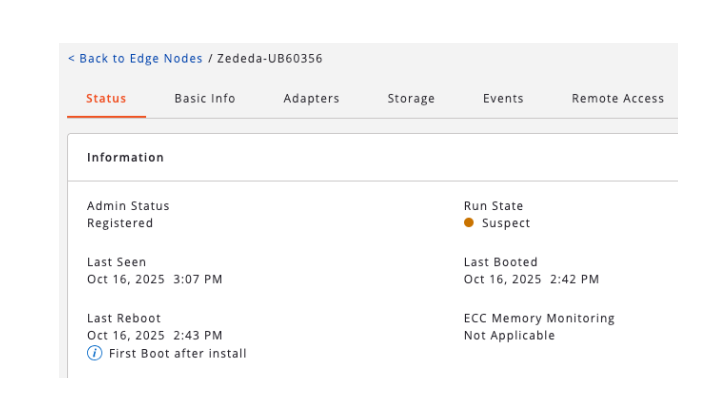
Click the Edge Node to view additional information such as Last Seen and Last Booted:
A power cable is included in the CL250 packaging. The device will automatically power on once the power cable is connected to the device and power is applied.
Connect the CL250 via user-provided ethernet cable to enable internet access. Either of the two available ports may be used. The CL250 must be connected to a network with DHCP in order to obtain an IP address. Once an IP is received, the device will automatically “phone home” to the ZEDEDA cloud controller and reconnect.
For additional onboarding-related information, a monitor may be connected to either of the Mini DisplayPort outputs on the device.
With power and internet access applied, the Edge Node’s Run State should change from Suspect to Online after a few minutes.
The Edge Node is now ready to support an Edge Application deployment.
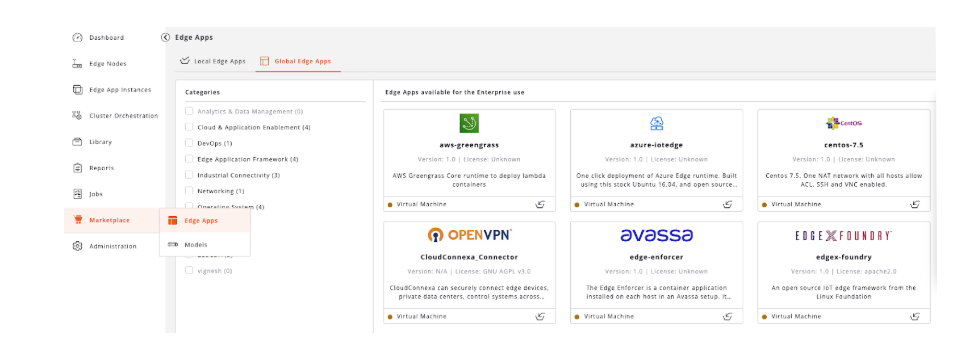
From the left-hand menu, navigate to Marketplace > Edge Apps > Global Edge Apps:
A selection of ZEDEDA-curated applications are available for your first deployment.